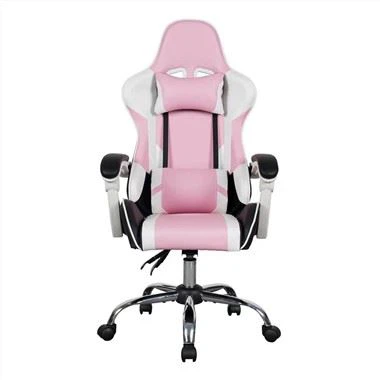
How do you ergonomically set a gaming chair
Sep 09, 2023
Setting up a gaming chair ergonomically can greatly improve your comfort and gaming experience. Here are some tips on how to set up your gaming chair for the best ergonomic support:
1. Adjust the chair height to ensure that your feet are flat on the ground. Your thighs should be parallel to the ground for optimal comfort.
2. Adjust the seat depth to ensure that there is no pressure on the back of your knees. A seat depth that is too long can cause discomfort and strain on your legs.
3. Adjust the backrest angle to support your lower back. The angle should be slightly reclined to reduce pressure on your spine.
4. Adjust the armrests so that your shoulders are relaxed and your elbows are at a 90-degree angle. This will help prevent shoulder and neck strain.
5. Use a lumbar pillow or support to further support your lower back. This can greatly reduce discomfort and strain during long gaming sessions.
6. Take regular breaks to stretch and move around. Sitting for long periods of time can be detrimental to your health, so taking breaks can help prevent muscle strain and fatigue.
By following these ergonomic tips, you can ensure that your gaming chair provides optimal comfort and support for your body. With the right setup, you can focus on your game without the distraction of discomfort and pain.